
Back
5-Day Robux
How to view pending Robux on Roblox
How long does 5-Day Robux take to arrive in the account?
5-Day Robux not received even though the estimate has passed?
How to top up 5-Day Robux on Golrox
How to create a Gamepass and the price to set for 5-Day Robux
Gamepass still being requested, not requested, or error 404?
What does the 5-Day Robux order status mean?
Is 5-Day Robux guaranteed?
What is 5-Day Robux and why do I need to create a Gamepass?
How to Check Pending Robux on Your Roblox Account
You can check pending Robux directly on your Roblox account:
- Log in to Roblox via a browser.
- Open the My Transactions page on Roblox.
- Look for the Pending Robux row in the Summary section.
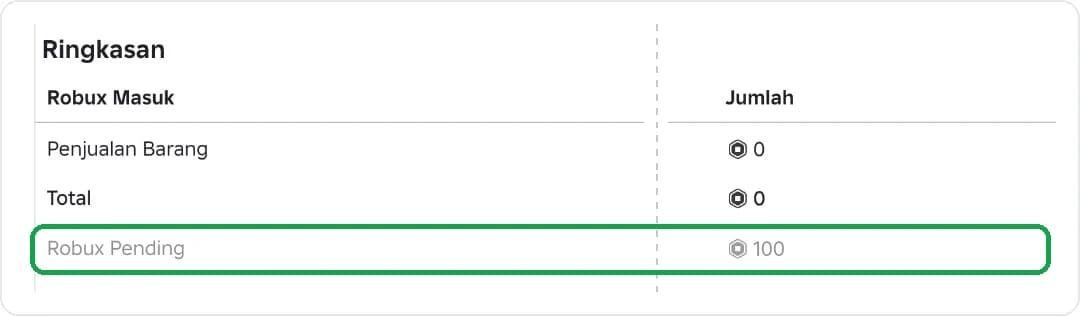
Robux from 5-Day Robux orders will appear in this row once the order status on Golrox changes to Pending. The Robux will automatically be added to your balance 120 hours (5 days) after it is marked as pending.
Was this helpful?

Need More Help?
Contact Our Customer Care
Ready to help from 06:00 - 24:00 every day!

© 2026 Golrox All Rights Reserved