
Back
5-Day Robux
How to view pending Robux on Roblox
How long does 5-Day Robux take to arrive in the account?
5-Day Robux not received even though the estimate has passed?
How to top up 5-Day Robux on Golrox
How to create a Gamepass and the price to set for 5-Day Robux
Gamepass still being requested, not requested, or error 404?
What does the 5-Day Robux order status mean?
Is 5-Day Robux guaranteed?
What is 5-Day Robux and why do I need to create a Gamepass?
How to Create a Gamepass and the Price to Set for 5-Day Robux
Creating a Gamepass is free, no Robux needed. You can do it via the Roblox Creator Hub (creator dashboard):
- Go to create.roblox.com/dashboard/creations and log in.
- Under Creations, select your game (place).
- Open Monetization → Passes, then click Create a Pass.
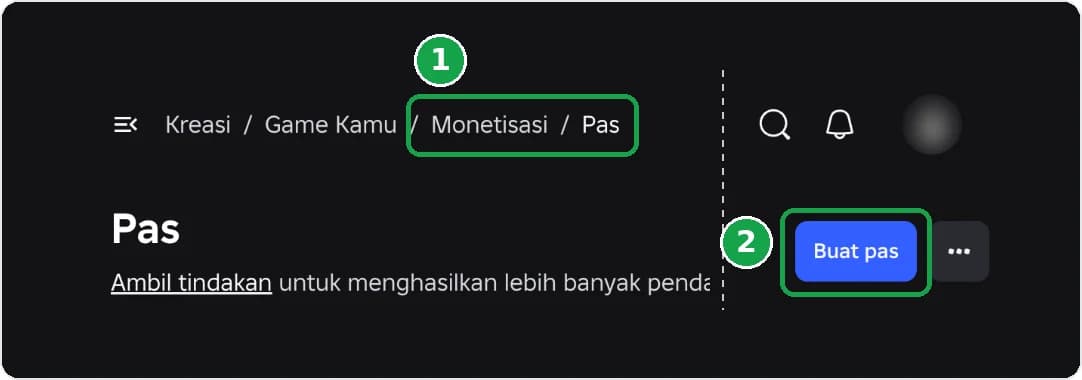
- Enter the pass name, upload an image if you want, then save.
- Open the pass you just created, select the Sales menu. Toggle on Item for Sale, then enter the Price according to the number on the Golrox Buy Robux page, and click Save Changes.
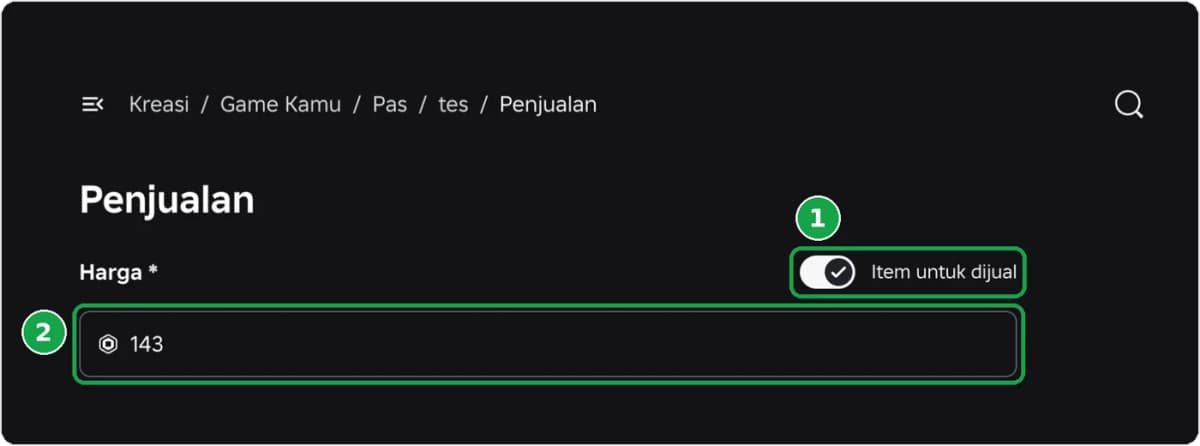
What price should the Gamepass be set to? Follow the number in the instructions that appear after you select the amount and click Buy Now. Example: for 100 Robux, create a Gamepass priced at 143 Robux.
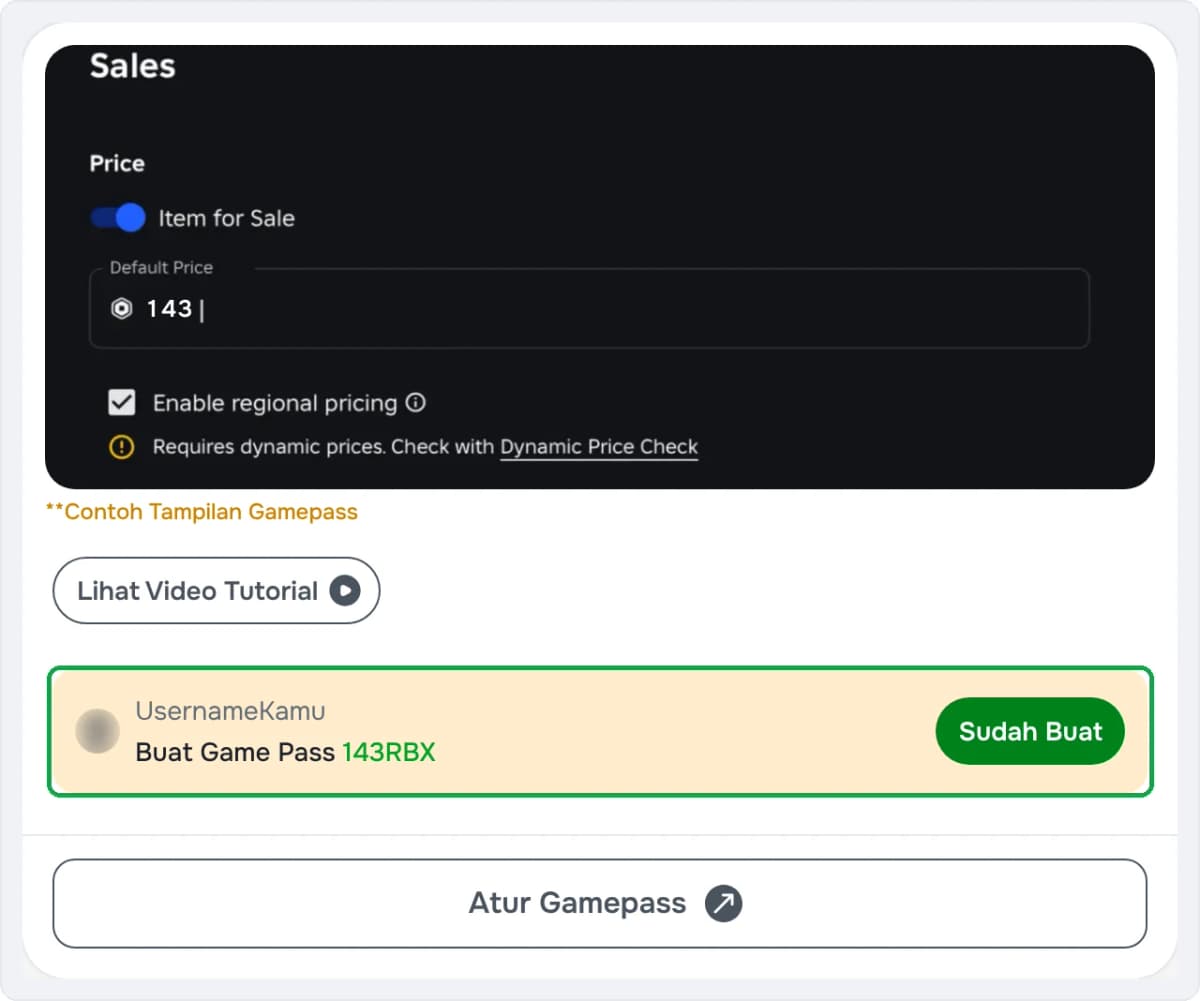
This amount already accounts for the 30% Roblox fee, so the Robux you receive matches your order. Do not round the price, as the system matches the Gamepass price exactly.
Do not change the price before the status is Pending. While the order is still Preparing, do not change the price or delete the Gamepass so the Robux can still be sent. Want to order again with a different amount while the old order is still Preparing? Create a new Gamepass.
Do you need to create a new Gamepass every time you buy? Not always. Once the previous order status is Pending, the same Gamepass can be used again for the same amount. Having more than one Gamepass in the same place, including with the same price, is also fine.
Make sure your place is public. After paying, you don't need to send the Gamepass link to the admin because the Gamepass is detected automatically.
Was this helpful?

Need More Help?
Contact Our Customer Care
Ready to help from 06:00 - 24:00 every day!

© 2026 Golrox All Rights Reserved